Showing posts with label Widget. Show all posts

Tuesday, October 16, 2012

Recommended For You Widget Blogger Slide Out Popup Box

Recommended for you slide out is very famous tool. It is used in all popular websites. It is very useful in increasing traffic. It popups when some after reading the post, article or content in a website and scrolls down. This popup is shown. It is used in most of the major sites. It helps a lot increasing the traffic and ranking of the page.

Recommended for you is now available for blogger. It will help bloggers to have there visitors in there blog by reading more similar blogs like they have read before on that page. This recommended for you slide out is also used by mashable for increasing there traffic and page ranking. It is a must have widget for bloggers. It is very seo friendly.


As we can see in the above screenshot the recommended for you widget for blogger. It is shown at the right bottom of the blogger blog page. And it popups up when someone has finished reading a blogger blog post. The post link shown in the recommended for you slide out will be similar post to the post were the visitor is.

The Recommended for you slide out blogger widget includes sharing buttons. Which can be used for share the blogger blog post on twitter, facebook, etc..

How To Setup Recommended For You Slide Out Widget For Blogger

You must registers an account at http://simplereach.com/?login=true and then fill up the form. After the signup you must verify the account by clicking on the click which is mailed to you. now by going to simplereach.com and following the instruction you can setup the recommended for you slide out for blogger widget.


Tumblr - Related Post Tumblr - Get Related Posts In Tumblr

Related post increases your site traffic and also you page rank in tumblr. It is very easily done. In is new micro blogging platform. There are two ways in making related post appear in tumblr. We will discuss the latest and the easiest way in making the related post in tumblr.

Related Post Tumblr

  • Click on Dashboard > Customize > Theme > and select the custom HTML
  • Search for <link rel="shortcut icon" href="{Favicon}" />
  • Add this code [<meta name="text:Max Related Posts" content="" />] before the above following code without brackets
  • Now search for </body> and add the below following code before the closing body tag
{block:PostSummary}{block:IfMaxRelatedPosts} <script src="http://ajax.googleapis.com/ajax/libs/jquery/1.4.2/jquery.min.js" type="text/javascript"></script> <script src="http://zw-ui.googlecode.com/svn/branches/Dev/Tumblr/addon_relatedposts.js" type="text/javascript"></script> <script type="text/javascript"> <span style="white-space: pre;"> $(document).ready(function () { $(document).relatedPosts({text:Max Related Posts}); }); </script> {/block:IfMaxRelatedPosts}{/block:PostSummary}

  • Now click update
There you go. You have successfully added the related post widget to your blogger blog.

Related Posts Widget For Blogger Working - Bug Fixed

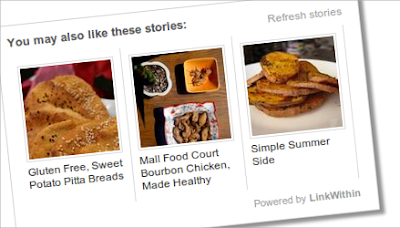
Related post widget is a easy way to get traffic and also page ranking. It will interlink all the pages of your blogger blog and you will be able get lots dofollow links to your pages from different pages. This related post widget not only lets you to build PR it also increases your site traffic.


Related post widget can be added easily. you only need to follow the below steps carefully to get related post widget working for blogger.

You can create self hosted related post widget. but it will take time to load. so here we are taking linkwithin related post widget for easily adding related post widget for you blogger template for easy navigation.

How To Add Related Post Widget To Blogger

  • Go to http://www.linkwithin.com/learn
  • Fill up the form and click get widget
  • Now click on the "install widget" link and select the blogger in which you want the related post widget
  • Then save the widget
You have successfully added the related post widget to your blogger blog. It will help you in increase traffic and page rank for sure.
Find us on Google+
Bloggers.com